
Get paid before you leave the driveway
Invoice customers from your phone in under 2 minutes.
Build an invoice for your trade, text your customer the payment link, and get paid without going home to do paperwork.
- Free forever plan
- No credit card required
- Built for contractors
The boring parts, done right
No hype here - just how your money, your data, and your questions are handled.
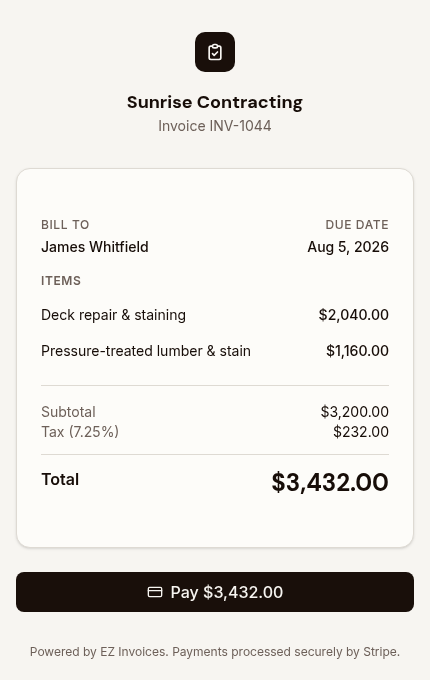
Card payments run on Stripe
Your customers pay through Stripe, the same processor behind millions of businesses. Card details go straight to Stripe - they never touch our servers, and payouts land in your own bank account.
Your data stays encrypted
Everything moves over encrypted HTTPS and is stored in a managed Postgres database. Your invoices and customer list are yours, walled off from every other account.
Free to start, no card to try it
Make an account and send a real invoice without entering a credit card. The free plan stays free, and you only pay if you choose to upgrade.
A real person answers support
Email us and you reach the people who actually build EZ Invoices - not a ticket queue. We read every message and reply.
Same work. Money in the bank sooner.
The invoice goes out the same day
Built and sent from the driveway in about a minute, while the job is still fresh and nobody is arguing about what was done.
The money moves in days, not weeks
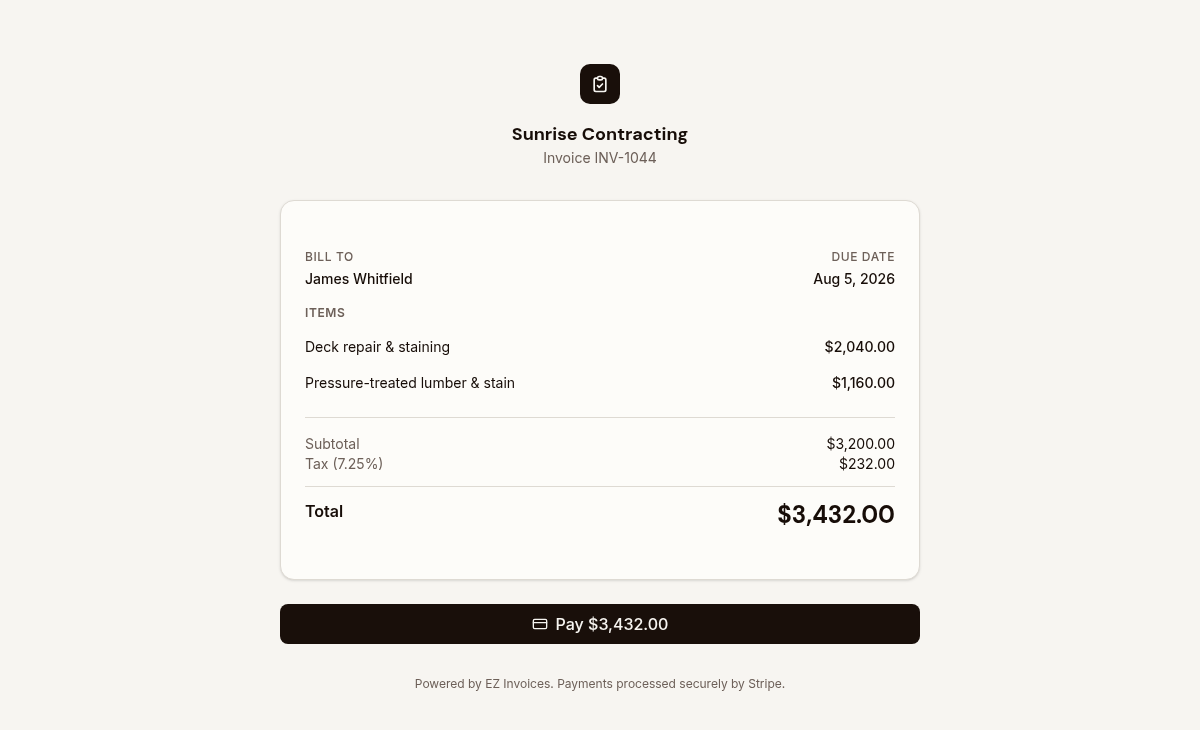
Your customer taps a link and pays by card on the spot. No check in the mail, no trip to the bank, no follow-up call.
You stop leaving money on the job
Materials, labor, and markup are priced as separate lines, so the total reflects what the work actually cost you.
Your evening comes back
No Sunday night catch-up session. The paperwork is finished before you pull off the street.

Paid before you pack up the truck
Hand over the phone, or text the link and let them tap it from the kitchen table.
Features
One Tool, Tailored to Your Trade
From the first estimate to the final payment, EZ Invoices flexes to fit how your trade actually quotes, bills, and gets paid — and keeps evolving based on what you ask for.
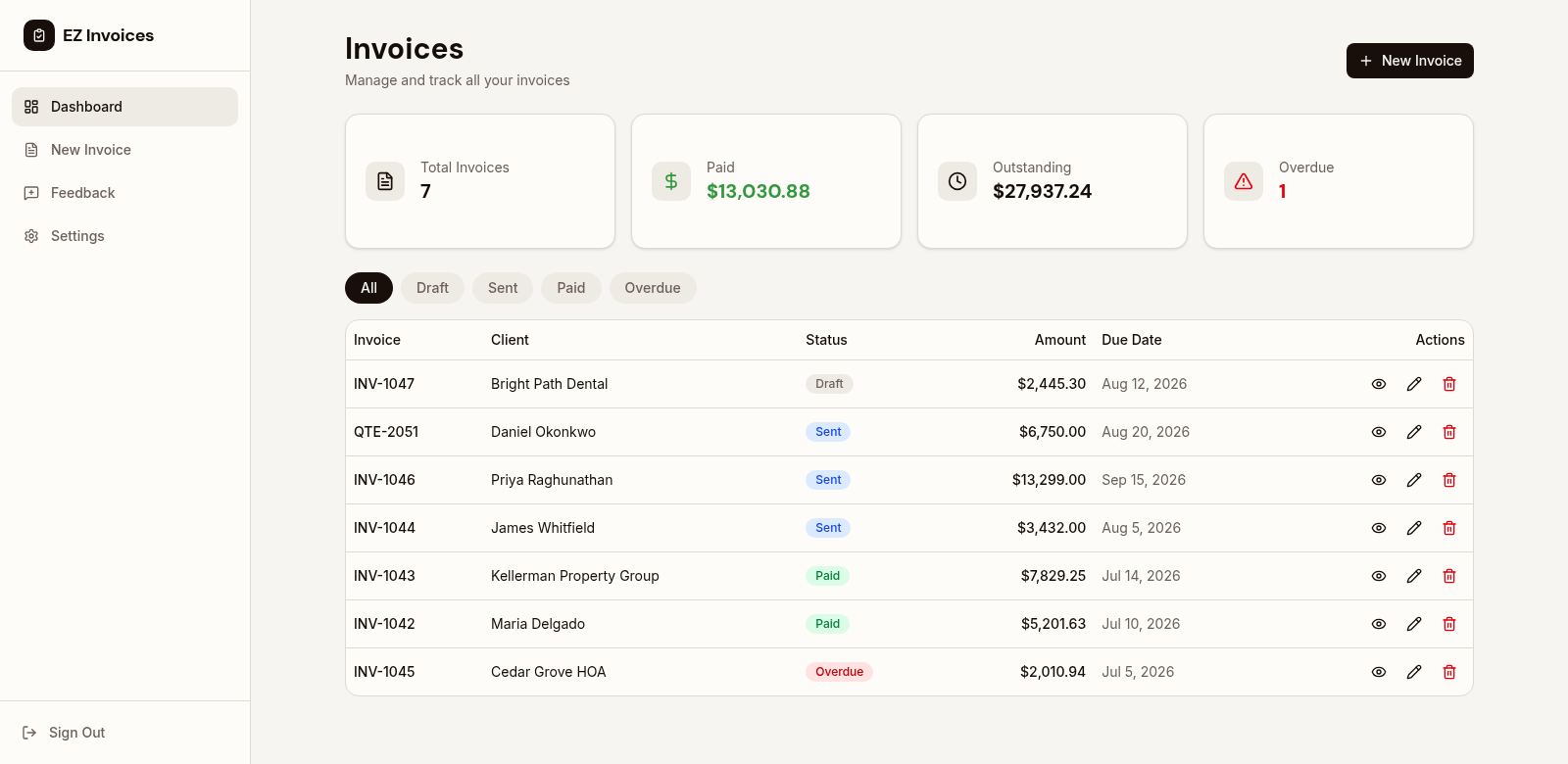
Professional Estimates & Invoices
Create detailed, professional estimates and invoices in minutes. Include materials, labor, custom line items, and notes. Your clients see a polished document that builds trust.
- Customizable templates
- Add your logo and branding
- Itemized breakdowns
- PDF export ready
One-Tap Estimate-to-Invoice
Stop re-entering data. When your estimate is approved, convert it to an invoice with a single tap. All line items, markups, and totals carry over automatically.
- Instant conversion
- Track changes from estimate
- Version history
- Compare quoted vs. billed
Mobile-First Design
Built for contractors on the go. Create invoices from the job site, snap photos of materials, log hours in real-time. Works perfectly on any phone or tablet.
- Touch-optimized interface
- Works offline
- Photo attachments
- Voice-to-text notes

Built-In Payment Collection
Get paid faster with integrated Stripe payments. Your clients pay by card or bank transfer directly from the invoice link. Funds arrive in your account within days, not weeks.
- Credit/debit cards
- Bank transfers (ACH)
- Automatic receipts
- Payment reminders

Smart Markup Management
Set custom markup percentages for materials, labor, and subcontractors. See your profit margins in real-time and ensure every job is profitable before you start.
- Per-item markups
- Default markup templates
- Margin calculator
- Cost vs. price tracking
Complete Materials & Labor Tracking
Track every nail, board, and hour on a per-job basis. Know exactly where your money goes and what drives your revenue. Generate reports to improve your bidding.
- Material cost tracking
- Labor hour logging
- Job profitability reports
- Supplier price lists

Plus Even More Features
Tailored to Your Trade
Pick your trade and your invoices, line items, and defaults are set up to match how you work - from flat-rate service calls to material-heavy builds.
Shaped by Your Feedback
Need something to work differently? Send a request right from your dashboard. We read every one and build the tool around real jobs.
AI-Powered Estimates
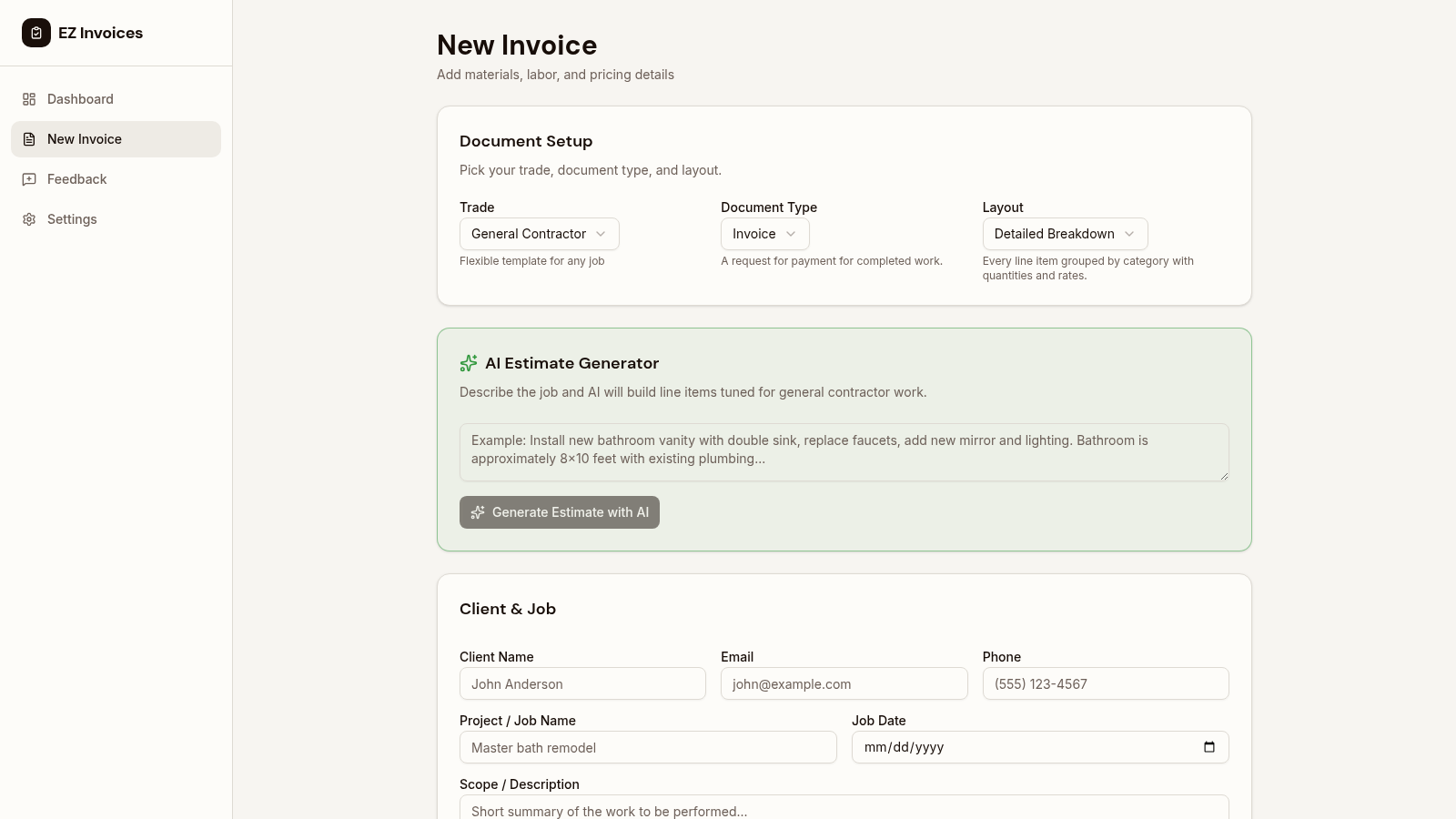
Describe the job and let AI generate material and labor estimates automatically. Save hours on complex bids.
Email & SMS Delivery
Send invoices via email or text message. Clients get a link to view, pay, and download their invoice.
Automatic Tax Calculation
Select your state and tax rates are applied automatically. Supports all 50 US states with combined rates.
Payment Status Tracking
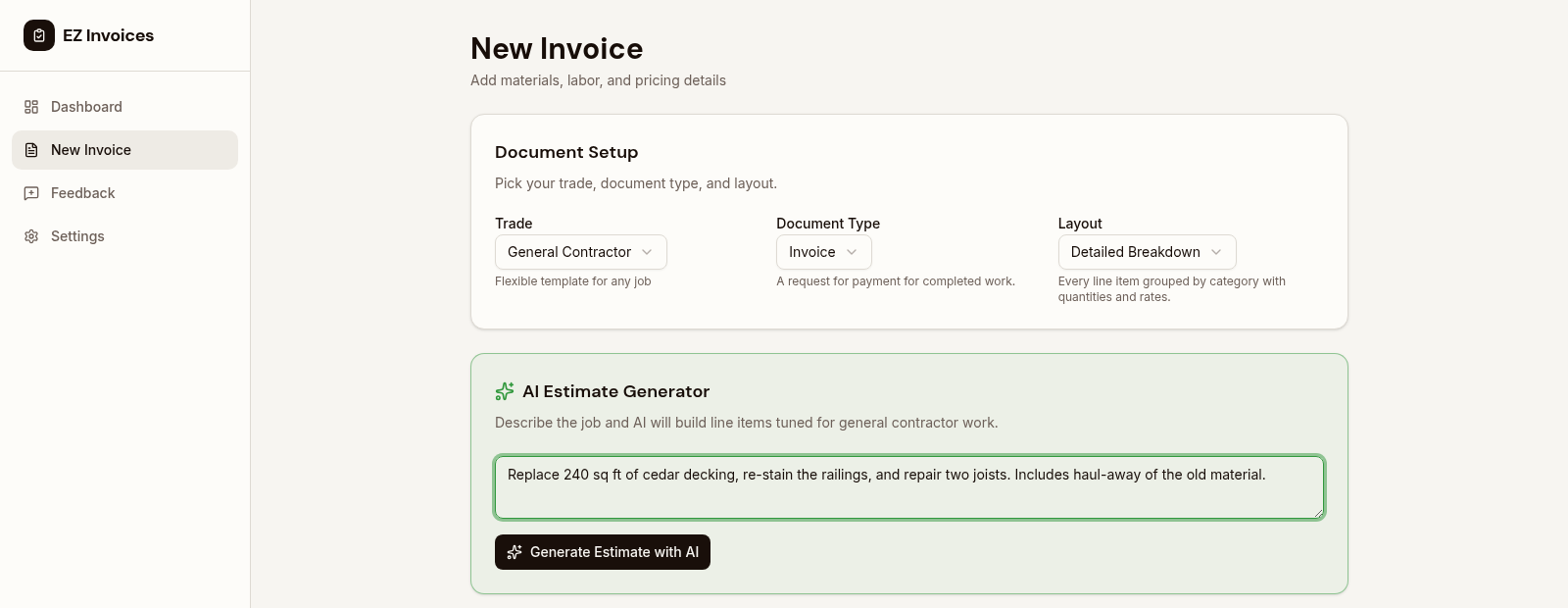
See which invoices are draft, sent, paid, or overdue at a glance. Never lose track of money owed.
Secure & Private
Bank-level encryption protects your data. Your client information and financial details are always safe.
Lightning Fast
Create a complete invoice in under 2 minutes. No bloated software, no endless menus, just speed.
See these features in action with our free invoice tool
Quote to cash, start to finish
Pick your trade. Your trade's usual line items are already in the invoice. Nothing to set up.
Your invoice already knows how you charge
Every trade prices differently — by the hour, the square, the fixture, the yard. Tap your trade to see the line items EZ Invoices starts you with.
Electrician
Panels, fixtures, wiring, and service calls
- $570.00
Electrical labor
Labor · 6 hrs
- $180.00
Outlets / switches installed
Per Unit · 4 units
- $504.00
Wire, boxes, breakers
Materials · 1 unit · +20% markup
- $120.00
Permit fee
Fixed Fee
Example rates shown. Edit any line, add your own, and it saves as your default.
Start with the Electrician templateThree steps, about a minute
From finishing the job to money on the way, without opening a laptop.
 Done from the driveway
- 01
Build it on the tailgate
Start from your trade's template and punch in hours and materials. Markup and sales tax apply as you type.
- 02
Send it before you drive off
Email it, or text a payment link while your customer is still standing in front of you.
- 03
Get paid by card
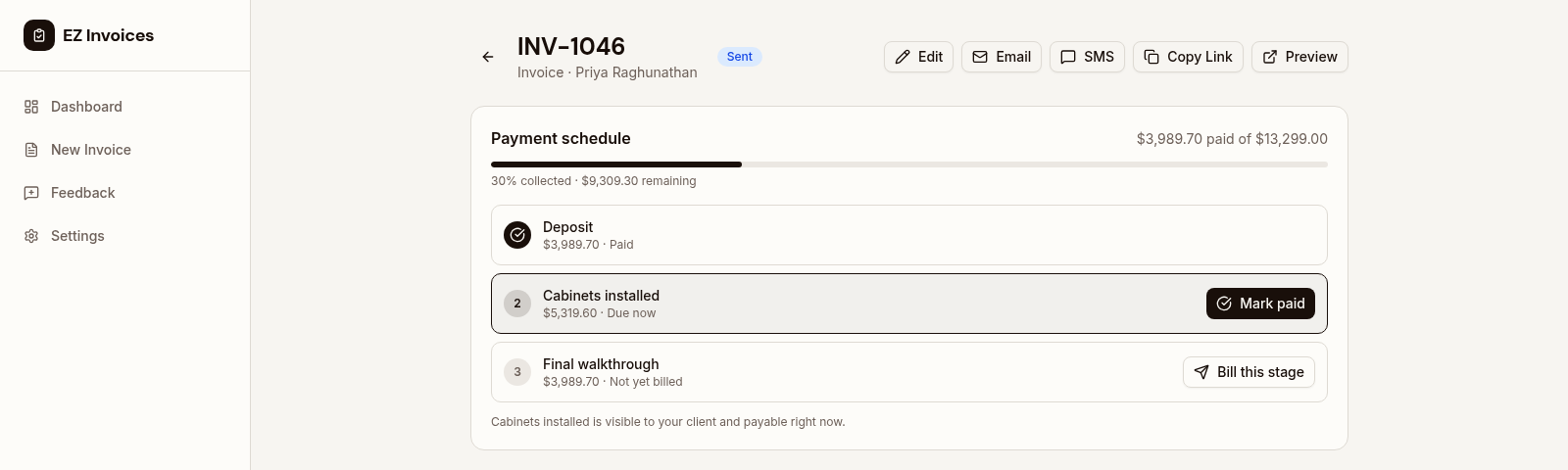
They tap the link and pay. Big jobs split into deposit, progress, and final so you are never fronting materials.
Want the longer version? See how it works in detail
Against a typical invoicing app
We are not naming names, and we are not pretending to win everything. If you need full bookkeeping, the big suites do that and we do not.
Trade-specific starting point
- EZ Invoices
- Line items ready for 11 trades
- Typical invoicing app
- A blank invoice you build yourself
Materials vs. labor
- EZ Invoices
- Separate line types, markup on materials
- Typical invoicing app
- Usually one flat item row
Deposits and staged billing
- EZ Invoices
- Split any invoice, one link for every stage
- Typical invoicing app
- Often manual or a higher tier
Built for a phone
- EZ Invoices
- Phone-first, installs to your home screen
- Typical invoicing app
- Usually desktop-first with a trimmed app
What your customer does
- EZ Invoices
- Taps a link and pays. No account
- Typical invoicing app
- Sometimes a portal or signup
Crew access
- EZ Invoices
- Crew sees the job, never your prices
- Typical invoicing app
- Commonly billed per seat, if offered
Job-site address on the invoice
- EZ Invoices
- Separate from the bill-to address
- Typical invoicing app
- Often one address field
Price
- EZ Invoices
- $9.99 a month flat, free plan forever
- Typical invoicing app
- Commonly per seat and tiered
Cut of each invoice
- EZ Invoices
- None. Only Stripe's processing fee
- Typical invoicing app
- Sometimes a per-invoice fee
Full bookkeeping and payroll
- EZ Invoices
- Not yet. Invoicing and payments only
- Typical invoicing app
- The larger suites include it
Simple plans. No per-invoice fees.
Get 90% off your first 3 months. Cancel any time — your invoices stay yours.
Starter
Enough for a slow month or trying it out.
- 5 invoices per month
- Every trade template
- Hours, materials, and unit pricing
- Automatic state sales tax
- Email your invoices
- Quotes and estimates
Pro
Most popular90% off for your first 3 months, then $9.99 per month
For anyone billing more than a couple of jobs a month.
- Unlimited invoices
- Card payments via Stripe
- Text a payment link
- AI-drafted line items
- Markup management
- Your logo and branding
- Milestone and deposit billing
Business
90% off for your first 3 months, then $14.99 per month
For established crews that need more visibility and support.
- Everything in Pro
- Team member access
- Advanced reporting
- Dedicated support
Card payments are processed by Stripe, which charges its own standard processing fee. Full pricing details
Your next job could be paid for today
Make a free account, pick your trade, and send a real invoice in the next few minutes.
- No credit card required
- Works on phone, tablet, and desktop
Free plan is 5 invoices a month, forever. Cancel a paid plan any time.