How It Works
How invoicing works: from job to payment in four steps
No complicated setup. No learning curve. Just the simplest path from estimate to payment.
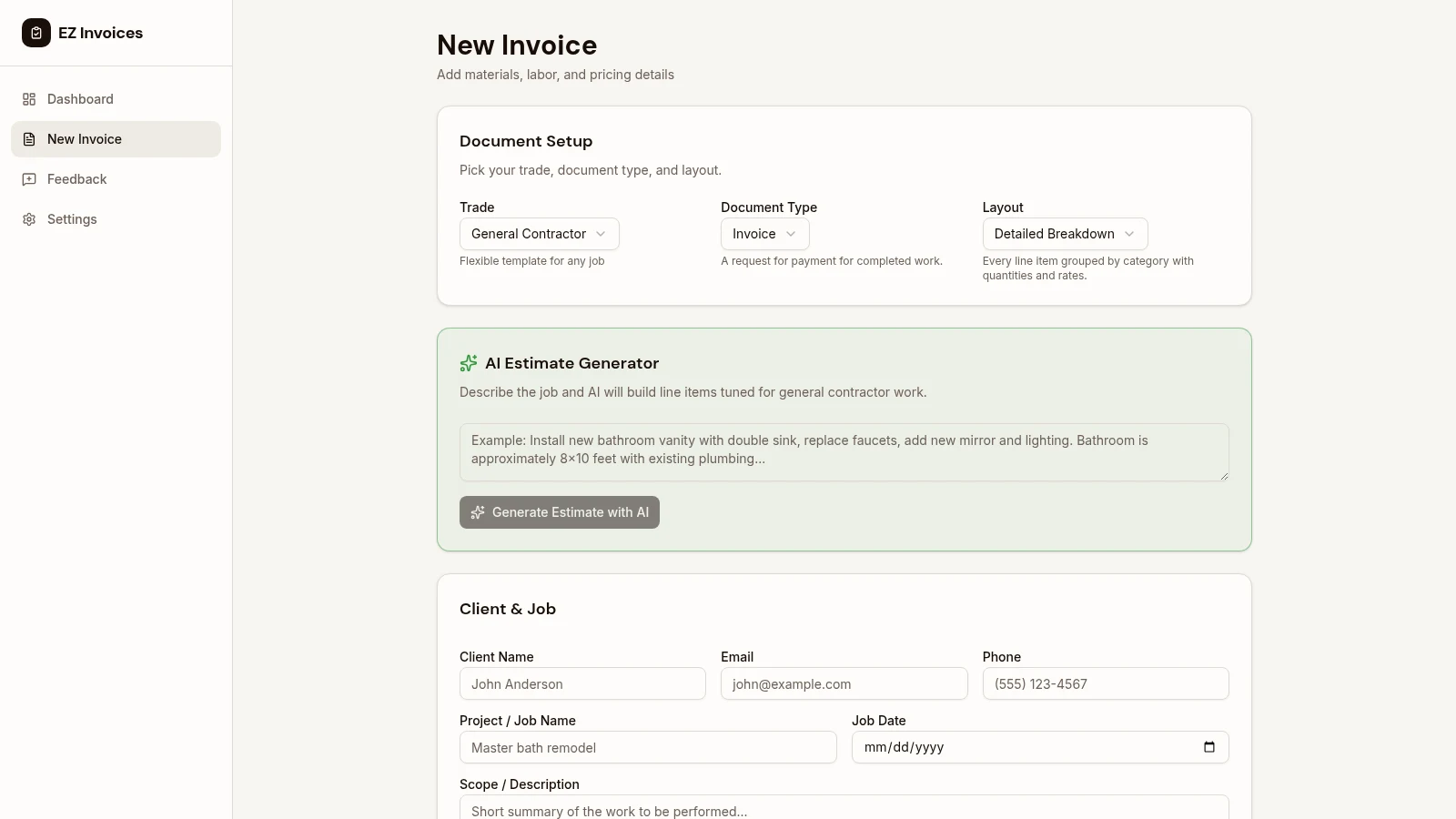
Create Your Invoice
Build it in minutes, not hours
Start from your trade's starter lines. Add materials, labor, and anything else as separate rows. Attach the before, during, and after photos that belong on the bill. On Pro and Business, AI can draft lines you edit, and markup can sit on materials. Nothing goes out until you send it.
- Starter lines for 12 trades
- Before, during, and after photos
- Labor and materials on separate rows
- State sales tax
- AI drafts on Pro and Business
Send to Your Client
Email, text, or share a link
Email the invoice on every plan. On Pro and Business, text a pay link or copy it. If the job changed, send the change order first. The customer approves or declines it on the same page they use to pay.
- Email on every plan
- Text or copy the link on Pro and Business
- Change orders on the pay page
- Itemized, so they can see the work
- No account for the customer
Get paid from the link
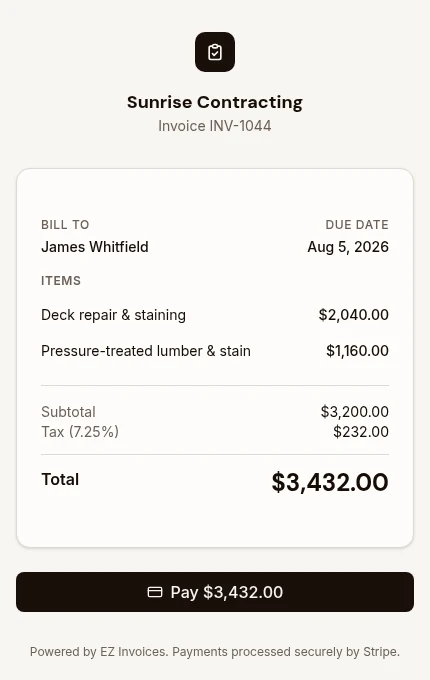
Card, or your own instructions
They tap the link and pay by card once your bank is connected, on Pro and Business. Stripe deposits to your bank on its normal schedule. EZ Invoices does not take a cut. If you would rather be paid by check, cash, or transfer, write those instructions on the invoice. Big jobs can be split into deposit, progress, and final on that same link.
- Card payments through Stripe
- No per-invoice fee from us
- Check, cash, or transfer instructions
- Deposit, progress, and final
- A receipt when the card payment lands
Track Everything
Know where you stand
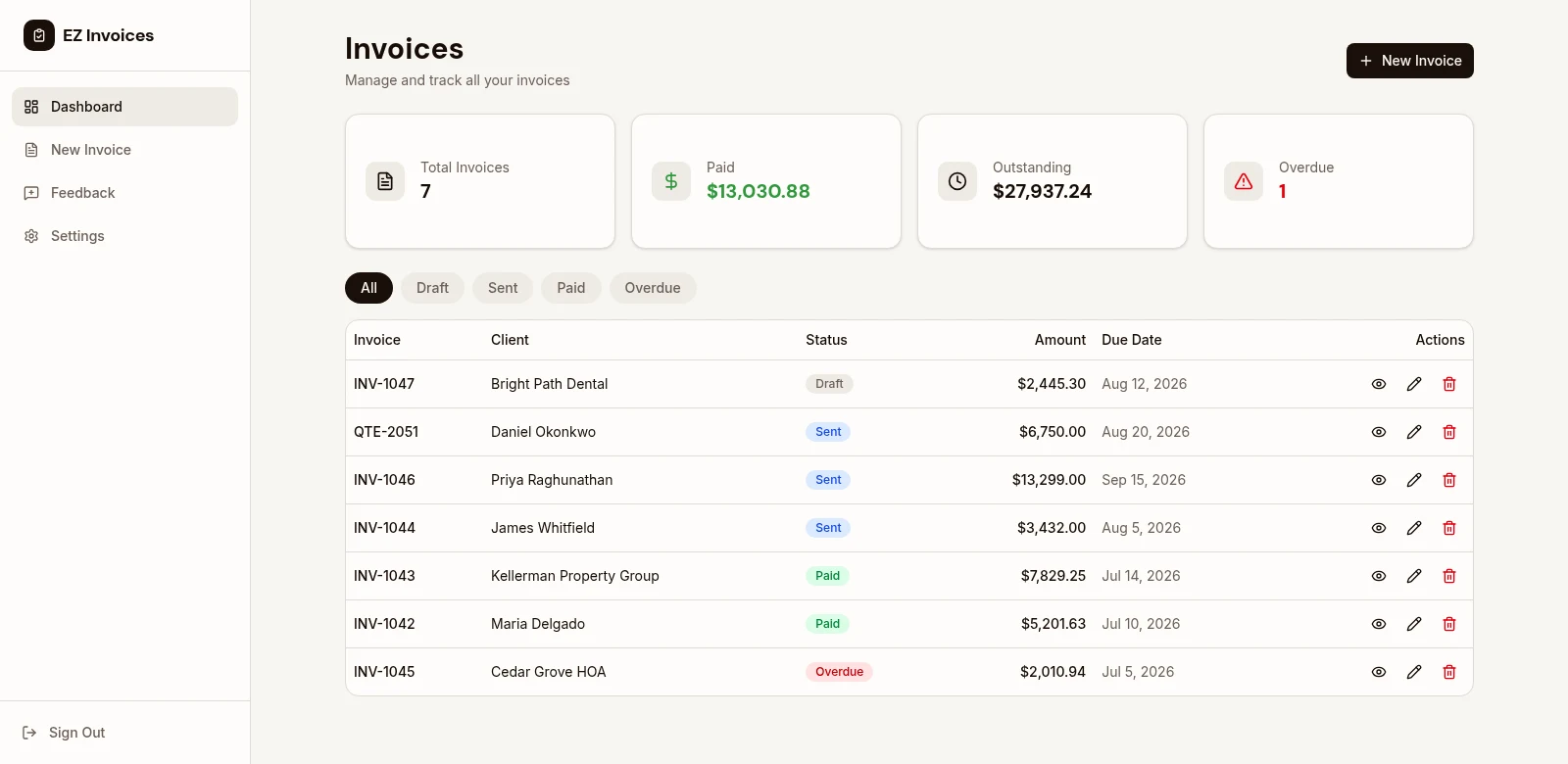
See what is draft, sent, paid, or overdue. On Pro and Business, EzCollect keeps following up until it is paid. Business plans also get a profit report after materials, and a Tax Center for subcontractor W-9s and a printable 1099-NEC. That is for your accountant. It is not filed with the IRS, and it is not bookkeeping.
- Draft, sent, paid, and overdue
- EzCollect on Pro and Business
- Profit after materials on Business
- W-9 and 1099-NEC on Business
- Not bookkeeping or payroll
Built for How You Actually Work
On the Job Site
Just finished a job? Add the materials, the hours, and the photos, then send the invoice before you leave. They can pay from the link while you are still there.
From Your Truck
Waiting for paint to dry or the customer to show up? Use that time to create estimates for your next jobs. Build your pipeline without sitting at a desk.
Follow Up Fast
If they have not paid, EzCollect on Pro and Business sends the reminders you wrote. You can also text the link yourself. It stops when the invoice is paid.
Ready to stop taking paperwork home? Create your first invoice free.
Get the paperwork done. Get back to work.
Create professional invoices, send them from the jobsite, and keep track of who has paid.
Free plan: 5 invoices a month. No card needed.
See all features